How to Set Up a Physiotherapy Booking System for Rooms, Equipment and Deposits
Set up a physiotherapy, personal training or yoga booking workflow for availability, session lengths, practitioners, rooms, equipment, deposits and private information.
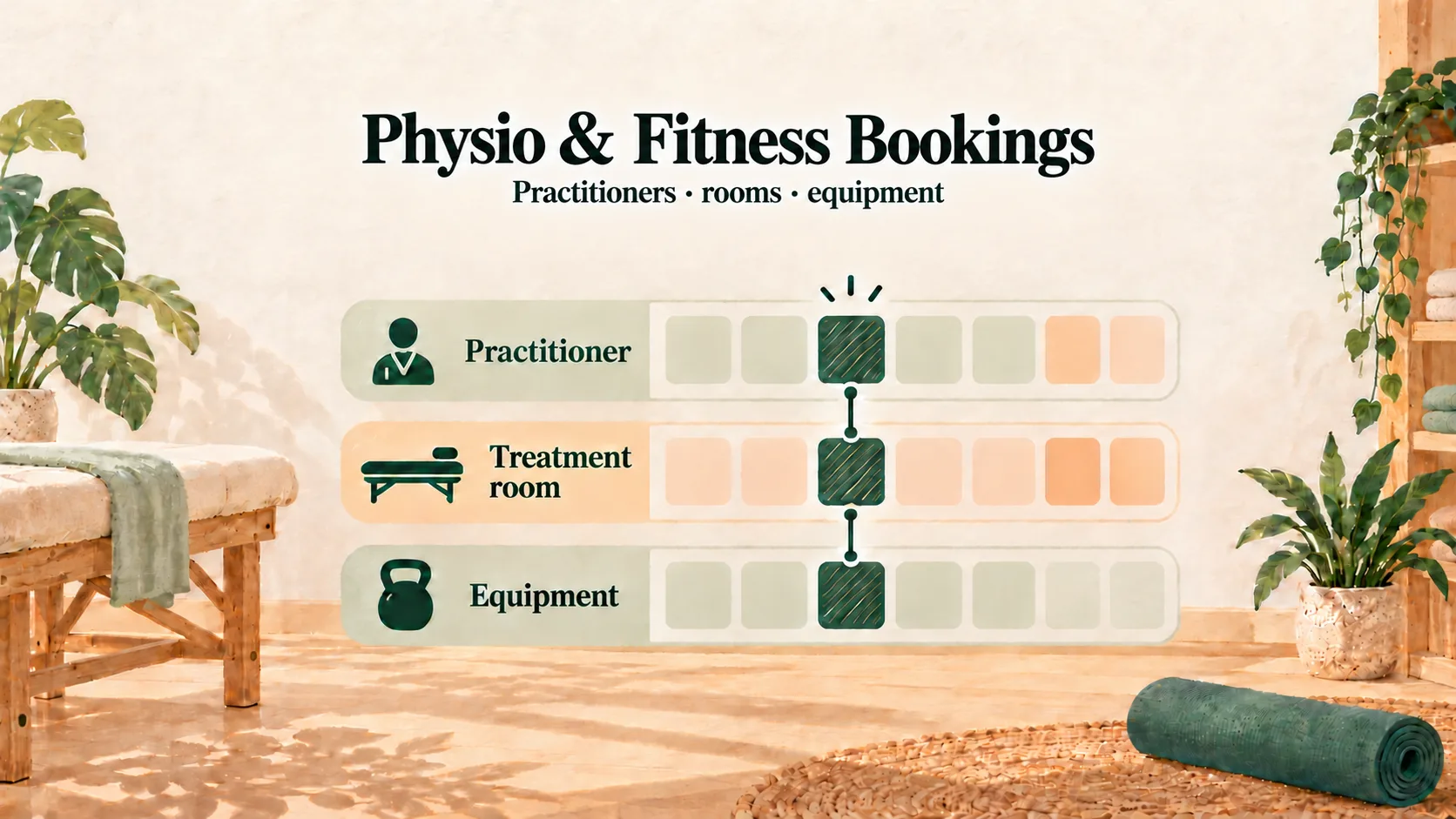
A physiotherapy booking system should show only times when the right practitioner, room and equipment are all available. It should also separate initial and follow-up sessions, keep sensitive health-information collection in the practice's approved process, and make deposit confirmation clear.
The same setup principles apply to Chinese medicine practices, personal trainers and yoga instructors. Start by deciding which system controls bookable availability, then build the team's daily process around realistic breaks, leave and session lengths.
Keep one source of truth for bookable time
Use the booking system as the place that determines what customers can choose online:
- Set regular breaks and unavailable periods in each practitioner’s weekly schedule.
- Record training, leave and exceptional days off before customers can choose those times.
- Check existing appointments before changing a practitioner’s availability.
You can still use a personal calendar for private reminders, but do not assume it synchronises with Kalendars. Customers see the availability configured in the booking system, so staff must keep that schedule current.
If you are comparing a meeting-first tool with a service-business workflow, read Calendly for Hong Kong Service Businesses.
Separate initial assessments from follow-up sessions
An initial consultation often needs more time than a follow-up. Create separate services with their own durations and requirements. The examples below are starting points only:
| Example service | Illustrative duration | Provider and facility questions | Deposit decision |
|---|---|---|---|
| Initial physiotherapy assessment | 60 minutes | Which practitioner and treatment room are eligible? | Does the practice reserve it with a fixed deposit? |
| Physiotherapy follow-up | 45 minutes | Is the same practitioner needed, and is equipment shared? | Apply the published practice policy consistently |
| One-to-one training | 60 minutes | Which trainer, area and equipment are required? | Consider the value and refill difficulty of the slot |
| Private yoga session | 60 minutes | Which instructor and room are available together? | Show any deposit before the customer commits |
Assign each service only to practitioners who provide it. Customers can then choose an eligible practitioner, and returning customers can book the same person when availability allows.
Separate service types also make the schedule easier to read. Staff can see whether the next customer is new or returning without relying on a free-text note.
Keep health-information collection as a separate process
The booking page should collect only what it needs to arrange the appointment. For health histories, consent forms or other sensitive information, follow the practice’s own approved process.
For example, after confirming the appointment, staff can send the clinic’s separate questionnaire link or ask the customer to arrive early to complete the relevant forms. This keeps scheduling simple and lets the practice apply its own privacy, access and retention procedures.
Kalendars does not provide a built-in medical intake form, so do not ask customers to place detailed health information in ordinary booking notes or WhatsApp messages unless that is part of an approved practice process.
Prevent room and equipment clashes
More than one practitioner may share a treatment room, therapy bed or Pilates reformer. A free practitioner does not create a usable slot if the required facility is already occupied.
In Kalendars, a service can require a facility. If every room or piece of equipment in that facility group is in use, that time is not made available online. This helps the schedule reflect both practitioner and facility capacity.
Review the setup whenever the practice adds a room, moves equipment or changes which services need it.
Distinguish appointments from stored value
Multi-session programmes still need clear appointment records for each visit. If the business uses Kalendars Growth, staff can record purchases and transactions against a member’s monetary stored-value balance.
That balance is money, not an automatic counter of remaining treatment or training sessions. Kalendars does not automatically deduct a session from a ten-session package. If your practice sells session-based packages, keep a separate, explicit process for tracking attendance and remaining sessions.
State prices, validity and usage rules clearly before a customer prepays. For clinical services, ensure the arrangement follows the practice’s professional and administrative requirements.
Set deposits and rescheduling rules that fit professional time
An initial assessment may reserve a practitioner, a room and equipment. A fixed deposit can make the commitment clear, provided customers see the terms before paying.
With Kalendars, a customer can pay an illustrative deposit such as HK$200 or HK$300 to the practice’s own FPS or PayMe destination, then submit the transfer reference. The slot is held for 15 minutes while they complete the step. Staff check the practice account and accept the booking only after matching the payment.
The FPS and PayMe Deposit Guide explains the complete flow. A sample policy might say:
Each appointment reserves one-to-one practitioner time. Please WhatsApp us at least 24 hours before the appointment to reschedule. A cancellation within 24 hours or a no-show may result in the deposit being retained, subject to the policy shown when you booked. Severe-weather arrangements will follow the practice’s published notice.
Adapt the terms to your practice; this example is operational copy, not legal or medical advice.
Use staff-led confirmations and reminders
After confirming a booking, staff can send the date, time, address and preparation instructions. Before the appointment, they can send a reminder early enough for the rescheduling policy to be useful.
Kalendars prepares a WhatsApp message from the appointment record. A staff member reviews it, sends it in WhatsApp and marks it as sent. Messages are not sent automatically. Use the WhatsApp Booking Link Templates as a starting point.
A practical setup checklist
- Make the booking schedule the source of truth for customer-facing availability.
- Enter regular breaks and exceptional leave for every practitioner.
- Create separate initial and follow-up services with realistic durations.
- Assign practitioners, rooms and equipment to the services they support.
- Collect health information through the practice’s separate approved process.
- Decide how session-based packages will be tracked; do not treat monetary stored value as a session counter.
- Publish deposit, rescheduling and severe-weather terms before payment.
Frequently asked questions
Does Kalendars synchronise with Google Calendar?
No calendar synchronisation should be assumed. Configure and maintain the practitioner’s bookable availability in Kalendars; use personal calendars separately if needed.
Can customers complete a medical intake form in Kalendars?
Kalendars does not provide a built-in medical intake form. The practice should collect sensitive health information through its own approved process.
Does a prepaid balance track remaining sessions?
No. Growth provides staff-managed monetary stored value, with purchases, transactions and balances. It does not automatically deduct or count treatment or training sessions.
Give professional time a clear structure
When availability, service duration, practitioners, rooms, equipment, deposits and private information each have a defined place, the team spends less time repairing the diary and more time serving customers.
See the Hong Kong Online Booking System Comparison for broader choices, or apply for Kalendars to organise the practice’s booking workflow.
Make online booking part of your business
Let customers book and reschedule online while your team manages appointments and in-store payments in one place.
Get started